Perform an Electronic Collection search to find the collection in Alma.
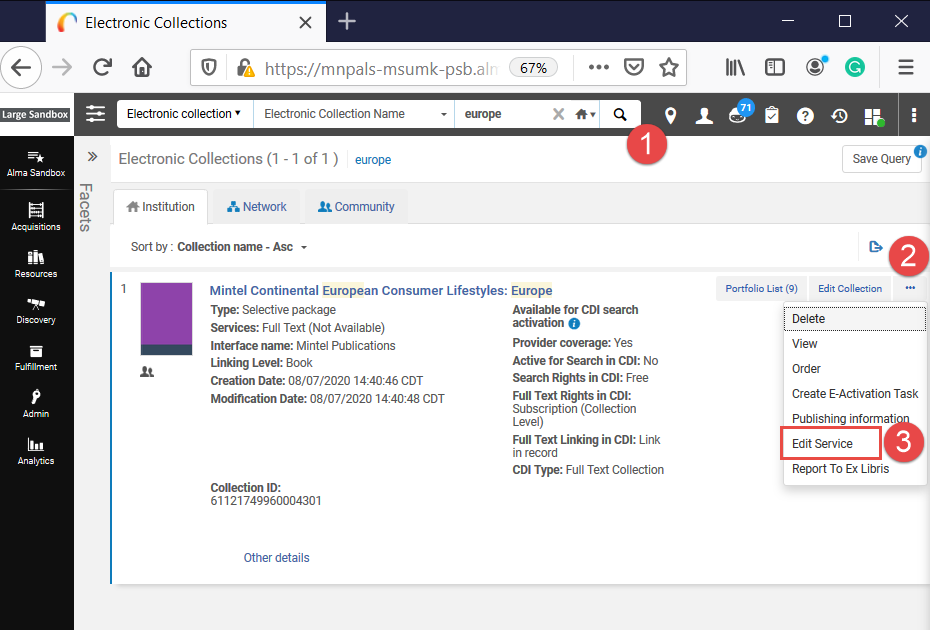 Perform an Electronic Collection search to find the collection in Alma.
- Click the ellipses/More Actions button.
- Select "Edit Service."
Alma will open the Electronic Service Editor.
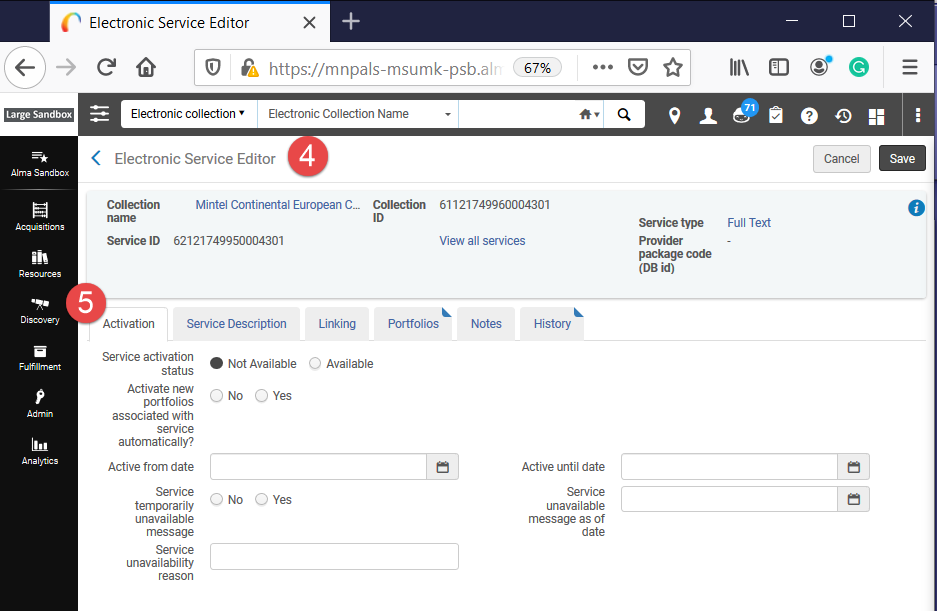 After clicking edit service, Alma opens the Electronic Service Editor, which shows if the service is active (available) or not. These settings can be changed.
- The Activation tab is already displaying.
Toggle to "Available" for Service Activation Status.
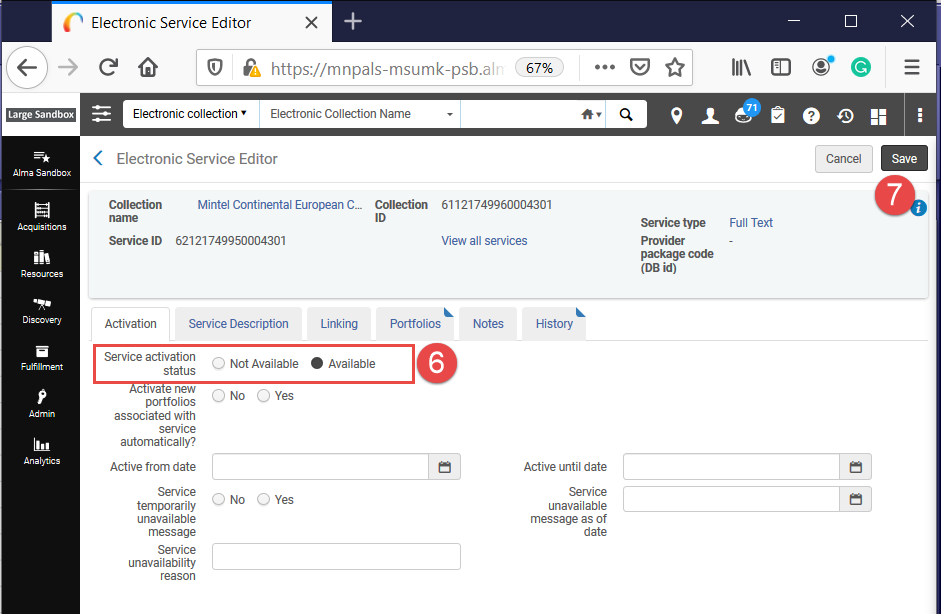 Toggle to "Available" for Service Activation Status. This is the first option under the Activation section. Then click Save, which is upper right corner.
- Click "Save."